My First Project
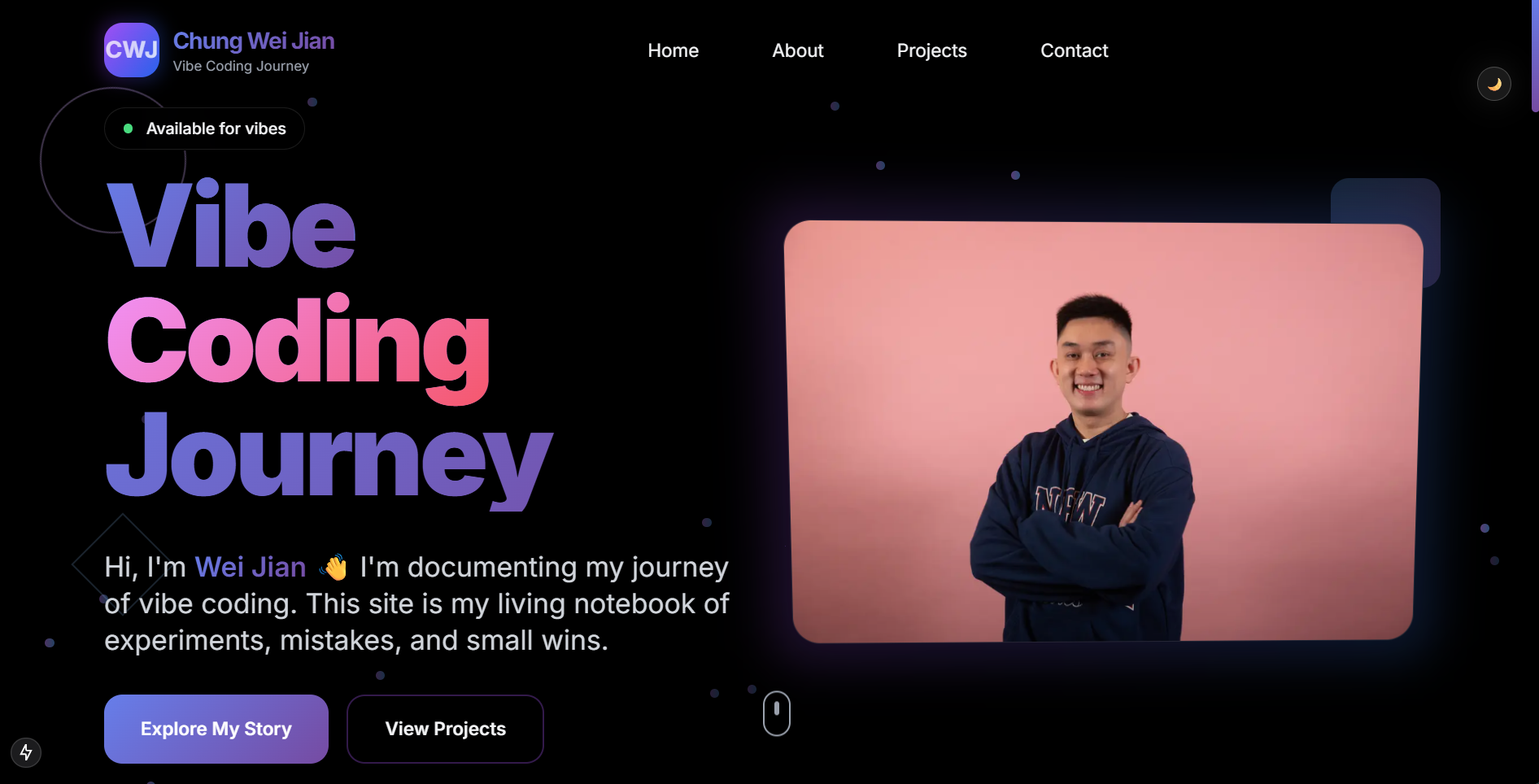
This website is my first real project — and it's already evolved beyond just a starter template.
From starter to redesign
I began with a simple Next.js + Vercel starter just to get something live. But then I experimented with prompts in Cursor, asking it to redesign the site to look "epic" and "award-worthy." The result? A complete visual overhaul that feels sharper, bolder, and much more me. It's no longer just a basic blog — it's a personal playground that looks like something I'd actually be proud to show off.
Making it work
On top of the redesign, I also added a working Contact Me form. Thanks to Formspree, I now have a simple, functional contact section where messages land directly in my inbox. Setting it up was surprisingly smooth:
- Registered an account
- Linked a form ID into my site
- Tested it — and it works!
That's the first time I've wired a live feature into my own website.
Discovering GitHub + Vercel
I've always heard of GitHub, but never really knew what it was until now. It turns out it's like a giant online folder that not only keeps my code safe but also tracks every change I make.
Then comes Vercel: I connected my GitHub repo to it, and suddenly every time I push code, my website redeploys automatically. Watching my updates go live in seconds was honestly fun (and a bit magical).
What I've learned so far
- Prompting Cursor can reshape not just small components but the entire design
- The
/publicfolder makes images part of the site itself - Formspree makes adding forms painless, with no backend code required
- GitHub + Vercel = code versioning + automatic hosting, which feels super smooth
- Iterating live feels better than waiting until I think it's "ready"
Reflections
I wanted a place to log my experiments, and now I have it. The homepage gives a quick hello, while posts like this one will be my coding diary entries — things I try, things I break, and the occasional small win.
It's not fancy, but it's live, and it's mine. 🚀